This is what we do
FAQ


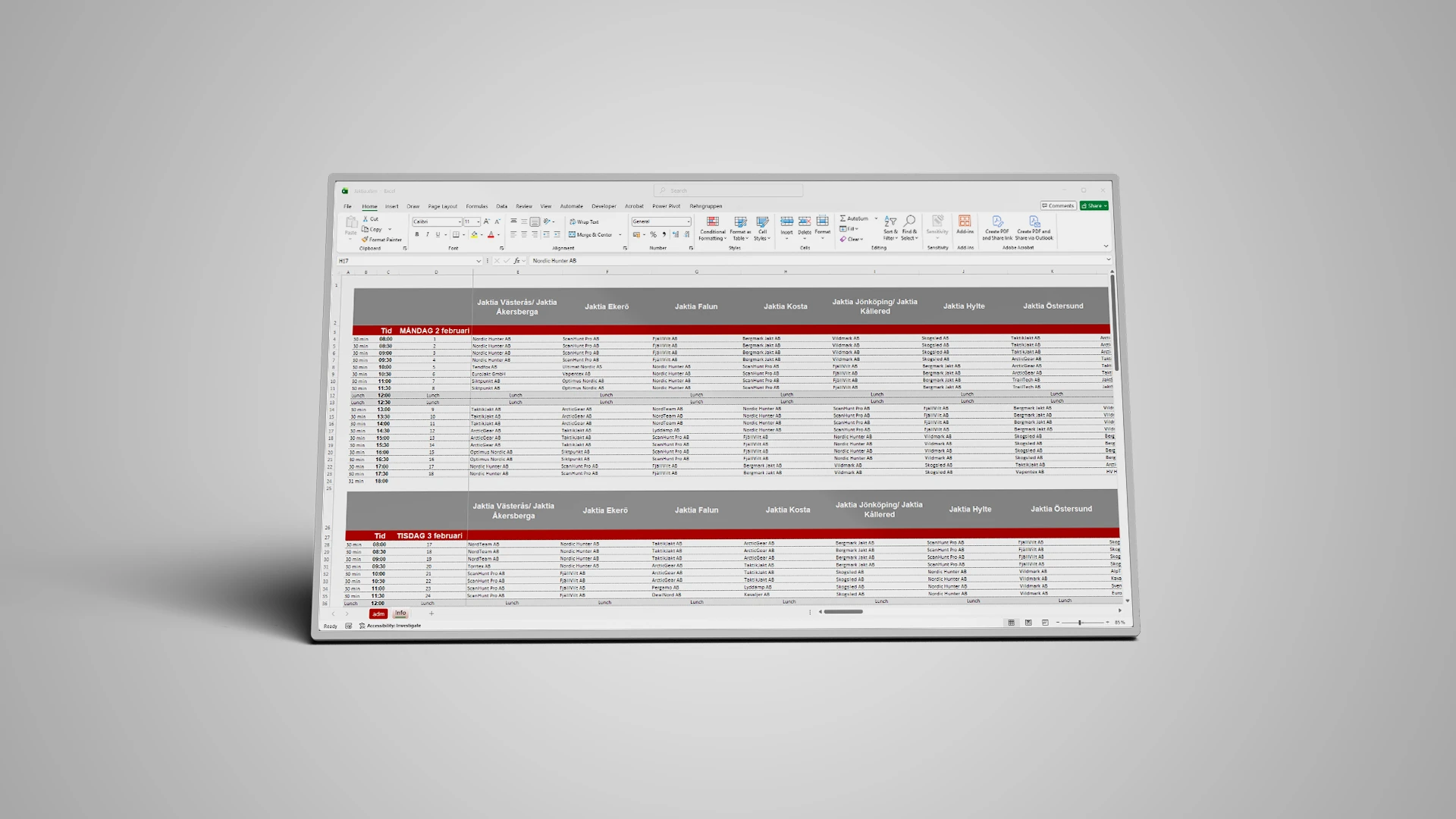
The Student Affairs Office at Södertörn University handles the university’s disciplinary cases, and their case management system was scattered across multiple files that were not interoperable. We redesigned the process into a three-step workflow: a fillable, accessibility-compliant PDF form, an Excel case list that imports the form with a single click, and an export feature that populates four pre-formatted Word documents from the selected row. The case worker enters the information once instead of four times, and the list immediately shows which cases have been resolved and which have been pending for a long time.
Automate your reportsLearn more about our Office templates
Södertörn University is a public university in Flemingsberg, south of Stockholm, with approximately 14,000 students enrolled in about 80 programs and over 300 courses. The Student Affairs Office is responsible, among other things, for handling disciplinary matters.
Education and Research
5000
When an examiner suspects cheating, plagiarism, or unauthorized collaboration, the matter is reported to the Student Affairs Office, which investigates the case and refers it to the department chair or the disciplinary committee. Each step must be documented, and the same information about the student, the course, and the report is tracked throughout the entire process, from the initial report to the final decision. As a state-funded institution of higher education, the university is also subject to the Act on Accessibility to Digital Public Services, which also applies to the form used to initiate each case.
The case management system already included all the components it needed: a form for filing a report, a case list to keep track of cases, and ready-made templates for letters, decisions, and minutes. But these components weren’t integrated. The information from the submitted report was entered by hand into the case list, and as the case progressed, it was re-entered into every document that needed to be sent out. This took time, and there was always a risk that a name or a date would differ between two documents describing the same case. At the same time, purchasing a case management system was not a viable solution. A disciplinary case contains sensitive personal information about a named student, and that information had to remain within the university’s own environment. Therefore, whatever was developed had to work within the software the case handlers already used.
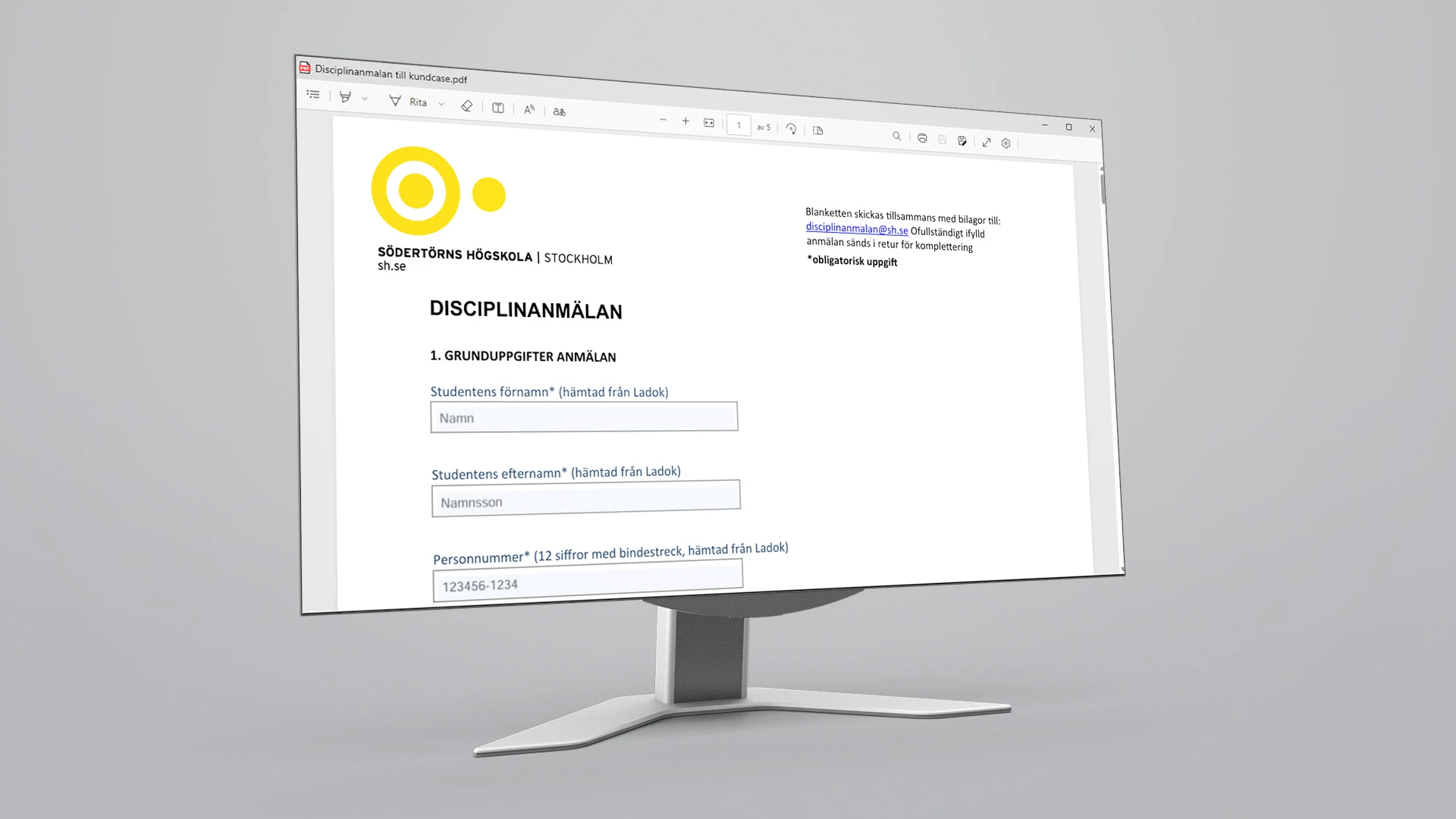
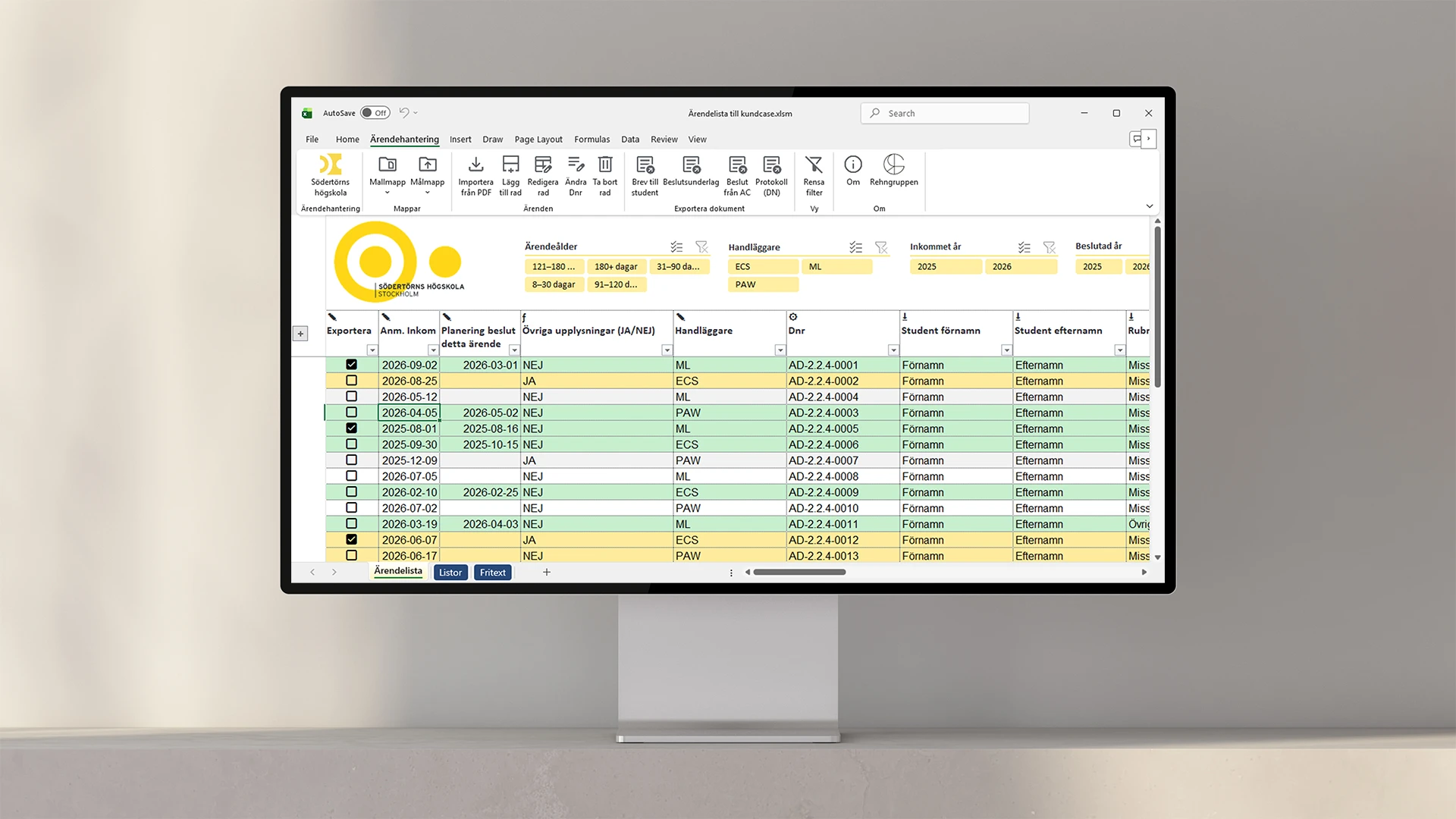
The solution was case management in Excel, with Word for the documents and VBA driving both. Everything runs on the case worker’s own computer. We redesigned the application form as a fillable and accessible PDF, where each field has the exact same name as the corresponding column in the case list. A completed form thus becomes a new row with a single click, and the form can be filled out using a screen reader. From that row, four Word templates are then populated: a letter to the student, supporting documentation for the decision, the department head’s decision, and the minutes for the disciplinary committee—all saved using the university’s own naming convention.

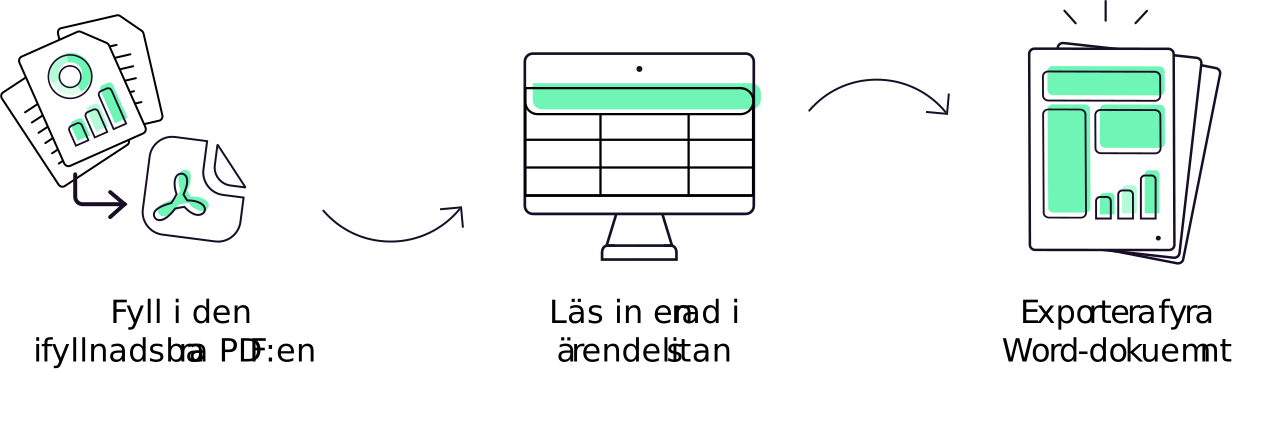
The case worker enters the case once. Then the letter, the decisions, and the minutes are generated automatically, with the correct information and the correct file names. The time spent typing the same name and date over and over again is gone. With it, the risk of two documents in the same case saying different things has disappeared. What remains is a list where you can see at a glance what has been decided and what has been pending for too long, and a form that anyone can fill out.
Fill out the form or call 08-120 233 30.